How to Create Effective Blog Page Design: Layout, Design Elements and Common Mistakes to Avoid
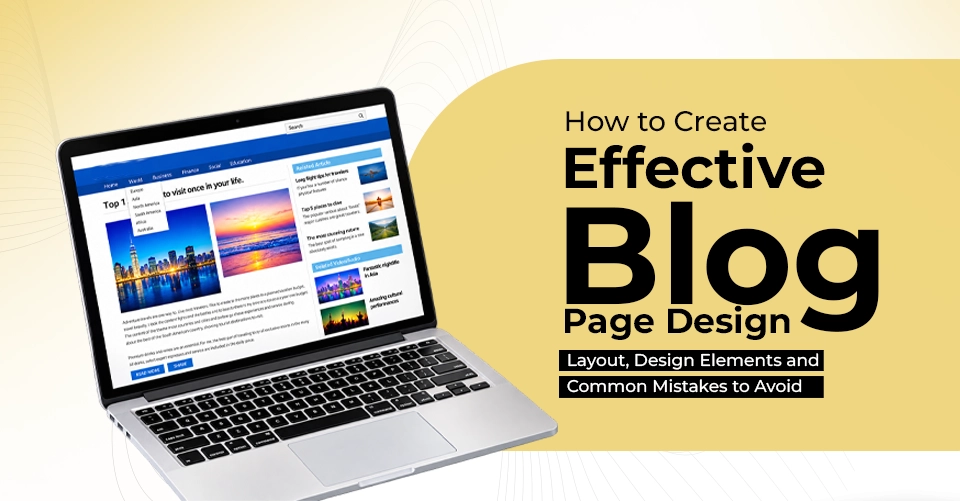
How to Create Effective Blog Page Design: Layout, Design Elements and Common Mistakes to Avoid
Great content can bring visitors to your website. But what happens after they arrive?
If the page is difficult to read, slow to load, cluttered with distractions, even the most valuable article may fail to hold their attention. Visitors may leave before discovering your expertise, exploring your services or taking the next step. That is why blog page design is an important part of SEO.
A well-designed blog page does more than display an article. It creates a clear path from search to content, engagement and action. For businesses investing in content marketing, that path can make the difference between simply attracting traffic and turning that traffic into meaningful business opportunities.
What Is an SEO-Friendly Blog Page?
An SEO-friendly blog page is more than a collection of articles published on a website. It is a carefully structured digital asset designed to:
- Help search engines understand the content
- Match relevant search intent
- Make information easy to find and consume
- Provide a smooth experience across devices
- Connect readers with relevant pages on the website
- Encourage meaningful actions
Think of your blog as a digital library. The content is the information inside the books. The design and structure are the shelves, labels and signs that help people find and use that information. Without useful content, the library has little value. But without good organization, even valuable information can be difficult to discover. The same principle applies to your website.
Content + Presentation = Better Digital Experience
5 Elements of Effective SEO Blog Design
Clean Typography That Makes Reading Easy
A blog is primarily a reading experience. That makes typography one of the most important design decisions on the page. Small text, cramped spacing, low contrast, and excessively long paragraphs can make even good content difficult to consume. Instead, focus on:
- Comfortable font sizes
- Clear heading hierarchy
- Adequate line spacing
- Short, readable paragraphs
Your readers should not have to work hard to read your content. A clean layout allows the information to take centre stage while helping visitors move naturally from one section to the next.
Clear and Logical Page Structure
A well-structured article helps both readers and search engines understand the hierarchy of your content. Your page might follow a structure such as:
Title → Introduction → Main Sections → Supporting Information → FAQs → CTA
Use meaningful headings to divide major topics and subtopics. For longer articles, a clickable table of contents can be particularly useful. It allows visitors to quickly move to the section most relevant to them instead of scrolling through the entire article.
This is especially valuable when users arrive through search with a very specific question. For example, someone searching for "how to improve website loading speed" may not need to read an entire 2,000-word article before finding the relevant section.
Mobile-Friendly Layout
Your blog may look perfect on a desktop screen. But what happens when someone opens it on a smartphone?
A responsive blog layout should automatically adapt to different screen sizes without creating unnecessary friction. Readers should not have to zoom in to read text, struggle to tap buttons or wait for oversized images to load.
It should have:
- Responsive typography
- Flexible images
- Simple navigation
- Comfortable spacing
- Easily tappable links and buttons
- Fast loading on mobile networks
Strong Internal Linking Structure
Every useful article should connect naturally to other relevant content across your website. If your article is about SEO for local businesses, it could link to related content about local SEO, Google Business Profile optimization, keyword research and website optimization.
You can also link from relevant blog posts to important service pages. This creates a connected content ecosystem. Internal links can help visitors discover more useful information while helping search engines understand the relationships between pages across your website.
Proper CTA buttons
What should a reader do after finishing your article?
If the answer is "nothing," you may be missing an important opportunity. A blog can attract visitors through search, educate them through useful content, and then guide them toward a relevant action. That action could be to read another article, subscribe to updates, explore a service or book a consultation.
The CTA should match the reader's intent. Someone reading an introductory article may not be ready to request a consultation immediately. A softer CTA such as "Explore More SEO Tips" may feel more natural. In a highly commercial article, a stronger CTA such as "Talk to Our Team" may be more appropriate.
The best CTA does not interrupt the content. It feels like the logical next step.
Common Blog Design Mistakes to Avoid
Even businesses that invest heavily in content can make design mistakes that reduce the effectiveness of their blogs.
1. Slow, Heavy Images
Uploading large, uncompressed images can increase page weight and slow down loading. Optimize image dimensions and file sizes before publishing them.
2. Overloaded Sidebars
A sidebar packed with advertisements, widgets, categories, banners, and unrelated links can distract readers from the article. Sometimes, a cleaner single-column layout creates a better reading experience.
3. Poor Colour Contrast
Light text on a light background may look minimalistic, but it can make reading difficult. Text should have sufficient contrast against its background and remain comfortable to read across devices.
4. Inconsistent Branding
Your blog should feel like part of your website, not a completely different platform. Maintain consistency in logo usage, typography, colours, buttons and visual style because a consistent experience helps reinforce brand recognition and trust.
5. No Author or Content Context
For topics where expertise matters, providing useful author information can help readers understand who created the content and why they are qualified to discuss the subject. Depending on the website and topic, author information, publication dates, references and editorial details can add useful context and transparency.
Conclusion
Your blog becomes more than a place to publish articles when the valuable content, clean design, technical performance, mobile responsiveness, internal linking and strategic CTAs come together. It becomes a connected part of your website.
For businesses looking to build this kind of digital presence, the right combination of SEO, website development, content strategy, and user-focused design can make a significant difference. As a digital marketing agency in Trivandrum,Kerala Made in Space brings these areas together to help businesses create websites and content experiences designed around both user needs and business goals. Because a successful blog should not simply answer a search query. It should start a journey from discovery to engagement, and from engagement to conversion.