How to Optimize CTA Buttons for Your Website: 7 Proven Strategies to Improve Clicks and Conversions
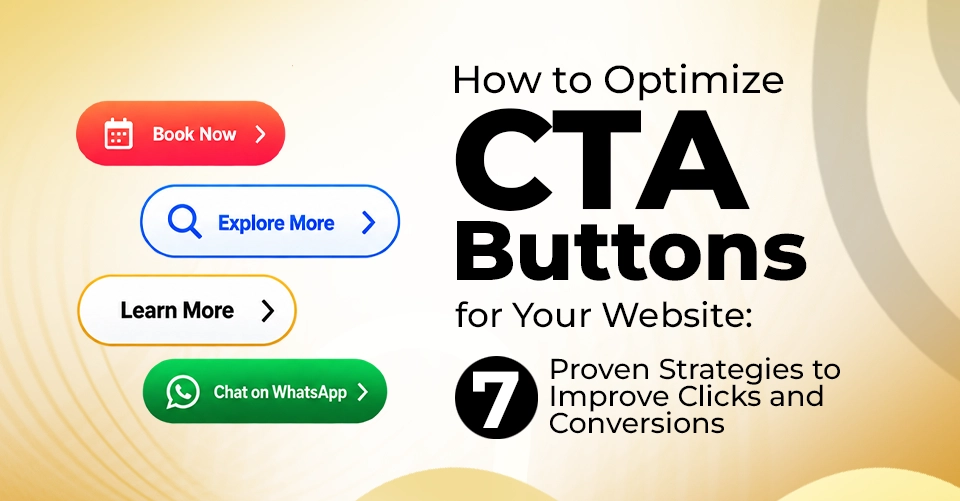
How to Optimize CTA Buttons for Your Website: 7 Proven Strategies to Improve Clicks and Conversions
A button may take up only a small part of your website, but it can have a big impact on what visitors do next.
"Get Started." "Book a Demo." "Download Now." "Buy Now."
These simple phrases can determine whether a visitor moves forward, explores another page or leaves your website.
A Call-to-Action (CTA) is more than a clickable button. It is a clear direction that guides visitors toward the next step you want them to take. It can be making a purchase, booking a consultation or signing up for a service, and a well-designed CTA can make the journey easier.
But there is no universal formula for the perfect CTA. A colour that works on one website may not work on another. Even changing a few words can influence how visitors respond. That is why effective CTA design combines clear messaging, strategic placement and continuous testing.
Here are the key factors to consider when creating CTAs that encourage meaningful action.
Factors to Consider for Higher-Converting CTAs
Before getting into button colours, sizes, and placements, there is one important principle to remember. A visitor should not have to think too much about what happens after clicking. They should understand what they are getting, what they need to do and what happens next.
1. Write Button Text That Gives Visitors a Reason to Click
This is where many websites miss an opportunity. Generic phrases such as "Click Here," "Submit," or "Learn More" may tell visitors what to do, but they fail to communicate what they will gain. Instead, make the action and the purpose of the click much clearer. Some CTA examples:
- "Download the Free Guide"
- "Book a Free Consultation"
- "Start Your Free Trial"
- "Explore Our Services"
The wording should be specific, concise, and relevant to the page. The CTA should also not work in isolation. The text around it should reduce uncertainty and help visitors make a decision. If you are asking someone to sign up, for example, supporting text such as "Free for 14 days" can be more effective.
2. Choose a Button Colour That Stands Out
There is no universal colour that guarantees better results. Instead of following a fixed colour rule, think about contrast, hierarchy and brand consistency. Your CTA should be easy to spot without looking disconnected from the rest of the website. If your page has a muted background and your primary CTA uses a contrasting colour, the button is more likely to attract attention. At the same time, avoid turning every button on the page into a visual emergency.
A colour change may seem minor, but small design changes can influence user behaviour. Try testing variations in:
- Button colour
- Text colour
- Background contrast
- Border style
- Button size
- Surrounding whitespace
3. Place Your CTA Where the User Is Ready to Act
Where you place your CTA can be just as important as what it says. The obvious advice is to place your CTA above the fold so visitors see it immediately. But that is not always the right approach.
If you are promoting a straightforward offer, visitors may be ready to act immediately. But imagine a high-value service such as business consulting or a long-term marketing service. A visitor may need to understand the offer, compare options, review benefits, and build confidence before they are ready to contact you. In that case, placing the CTA after relevant information may produce a stronger response.
Other CTA placement options would be:
- Immediately after the hero section
- After explaining the key benefits
- Following testimonials or case studies
- At the end of a blog post
There is also nothing wrong with using more than one CTA on a longer page, as long as each placement feels natural.
4. Give CTA Enough Breathing Room and Use Right CTA Size
A CTA needs space to stand out. When a button is surrounded by paragraphs, images, links and other design elements, it can easily disappear into the page.
Whitespace creates visual focus. Giving your CTA enough breathing room helps to guide the visitor's attention toward it. But spacing should still maintain a clear connection between the CTA and the information that supports it. A button floating far away from the relevant content can feel disconnected.
Also, a CTA should be large enough to notice and comfortable enough to click, but it should not dominate the entire page. The right size depends on the device, layout, content hierarchy and purpose of the CTA.
Common Types of CTAs and When to Use Them
Different goals call for different CTA approaches.
- Action-Oriented CTAs: Designed to encourage immediate action. Examples: "Get Started", "Book Now", "Contact Us"
- Benefit-Oriented CTAs: Focus on what the visitor will receive. Examples: "Get Your Free Strategy", "Discover Your Options", "Download the Free Guide"
- Urgency-Based CTAs: Encourage action within a limited timeframe. Examples: "Claim the Offer Today", "Book Before Friday". Use urgency only when the deadline or limited-time condition is genuine.
- Scarcity CTAs: Highlight genuinely limited availability. Examples: "Reserve Your Spot", "Only 5 Units Left". Again, scarcity works best when it reflects a real limitation.
- Lead Generation CTAs: Designed to collect information from potential customers. Examples: "Request a Callback", "Get a Free Consultation"
Where Should You Use CTAs on Your Website?
CTAs can appear across almost every part of a website, but the purpose should change according to the context.
- Homepage: Your homepage introduces visitors to your brand for the first time. Use a clear primary CTA to guide them toward the next relevant step. Examples: "Explore Our Services" or "Talk to Our Team."
- Landing Pages: Landing pages usually have one specific conversion goal. Keep the CTA focused on that objective. If the page is designed for registrations, the CTA should encourage registration instead of sending visitors in multiple directions.
- Blog Posts: A blog does not have to be the end of the user's journey. After delivering useful information, you can invite readers to download a related resource, read another article, subscribe to updates or contact the team.
- Product Pages: Product pages need CTAs that make purchasing or taking the next step convenient. "Add to Cart," "Buy Now," or "Request a Demo" should be positioned close to the information visitors need before making their decision.
- Pop-Ups: Pop-ups can be useful when they appear at a relevant moment, such as when someone is about to leave a page or has spent meaningful time exploring it. For example: "Get 10% Off Your First Order". The offer should provide genuine value and the CTA should make the action clear.
Conclusion
A CTA may look like one small element on a webpage, but it sits at an important point in the customer journey. The words you choose, the colour you use, the space around the button, its position on the page, and even the moment when it appears can influence what visitors do next. But there is no single CTA formula that works for every business. What works for an e-commerce brand may not work for a B2B company, service provider, or SaaS business. The most effective approach is to understand your audience, remove unnecessary friction, create clear next steps, test your assumptions, and improve based on real user behaviour.
This is where conversion-focused website design and digital marketing come together. A well-planned CTA should support your broader digital marketing strategy, complement your content and align with the goal of each page.
For businesses looking to strengthen their online presence, working with an experienced digital marketing agency can help bring together website strategy, content, and conversion optimization under one approach. At Made in Space, the best digital marketing company in Trivandrum, we focus on creating digital experiences that guide the right visitors toward the right action at the right moment and turning that action into a meaningful business result.